1. Save post-game reviews
After working a game, record your own plate or base performance feedback.

Turn saved post-game self-reviews into personalized feedback about your umpiring performance.
UmpTrack gives baseball and softball officials a place to record post-game performance self-evaluations for plate and base assignments. Pro users can generate AI Performance Insights from those saved reviews and notes.
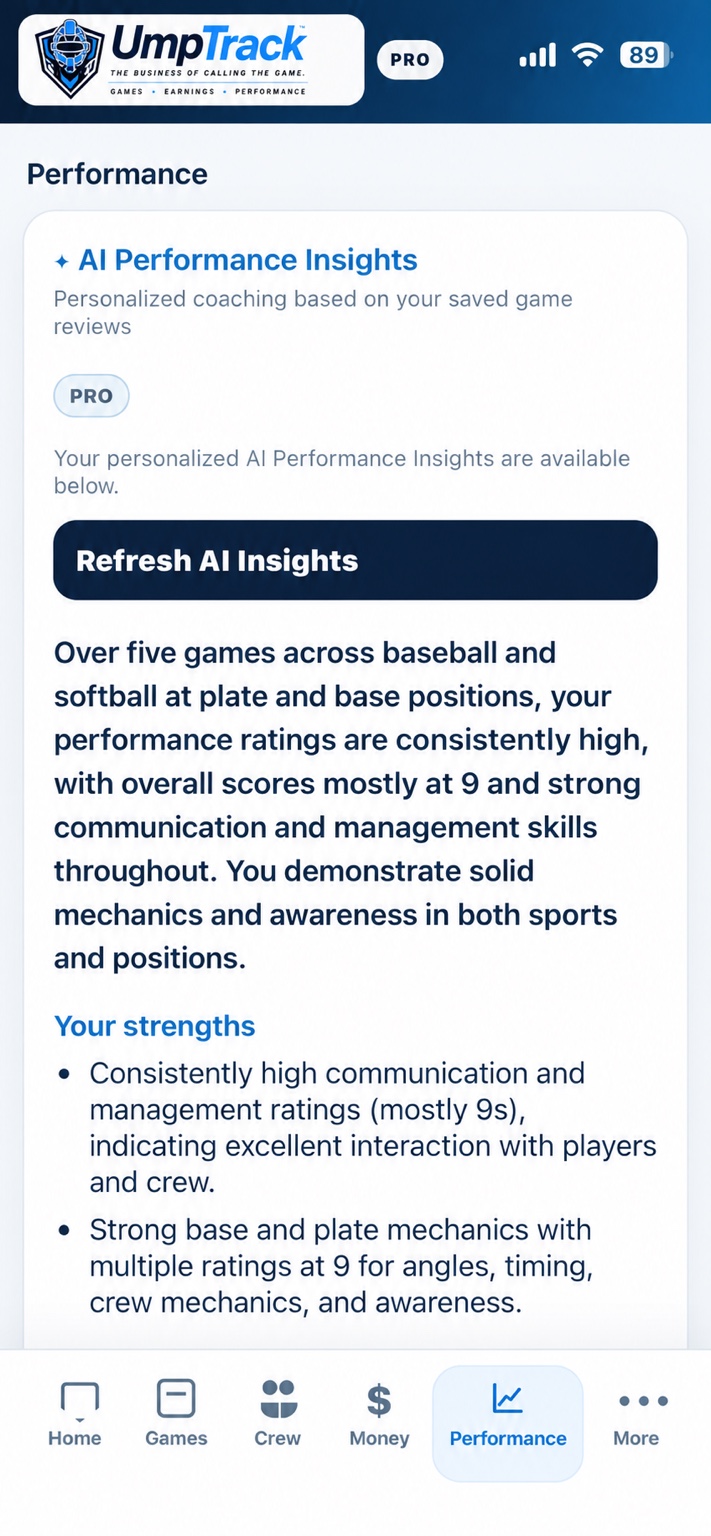
The generated feedback can summarize strengths and identify areas the umpire may want to focus on. Because it is based on self-entered reviews, it should be treated as a reflection aid—not an objective assessment or substitute for observed coaching.
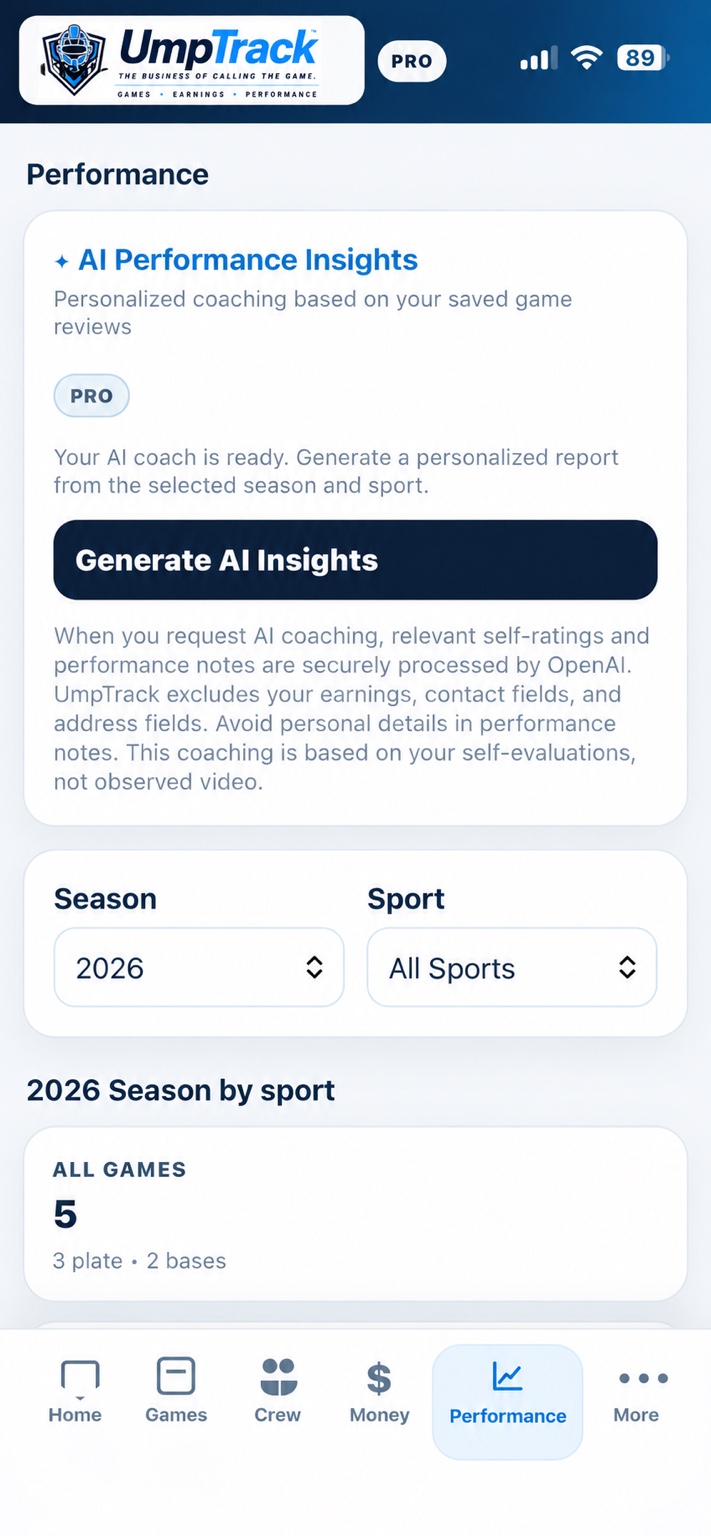
Below are the actual current in-app screenshots provided by UmpTrack, not mockups or redesigned promotional images.
After working a game, record your own plate or base performance feedback.
Use the Performance screen filters to select the records you want to review.
With Pro access, tap Generate AI Insights. The report is created from relevant saved evaluations and notes.
Use the report to consider strengths and opportunities for improvement. Actual development also depends on independent feedback and practice.
The AI coaching feature uses relevant saved self-ratings and performance notes when requested. As explained inside the app, UmpTrack excludes earnings, contact fields, and address fields from this AI coaching request; users should avoid entering personal details in their notes.
No. AI Performance Insights is a Pro feature. UmpTrack is free to start with up to five games.
Yes. Tracking games and post-game reviews is part of the broader UmpTrack experience. AI coaching is optional.
No. It works from saved self-reviews, not observed video or automated video judgment.
Yes. UmpTrack supports both sports, and the Performance screen includes a sport selector.
Keep a record of assignments, payments, mileage, expenses and performance. Try the free plan or explore Pro.